Practical answer
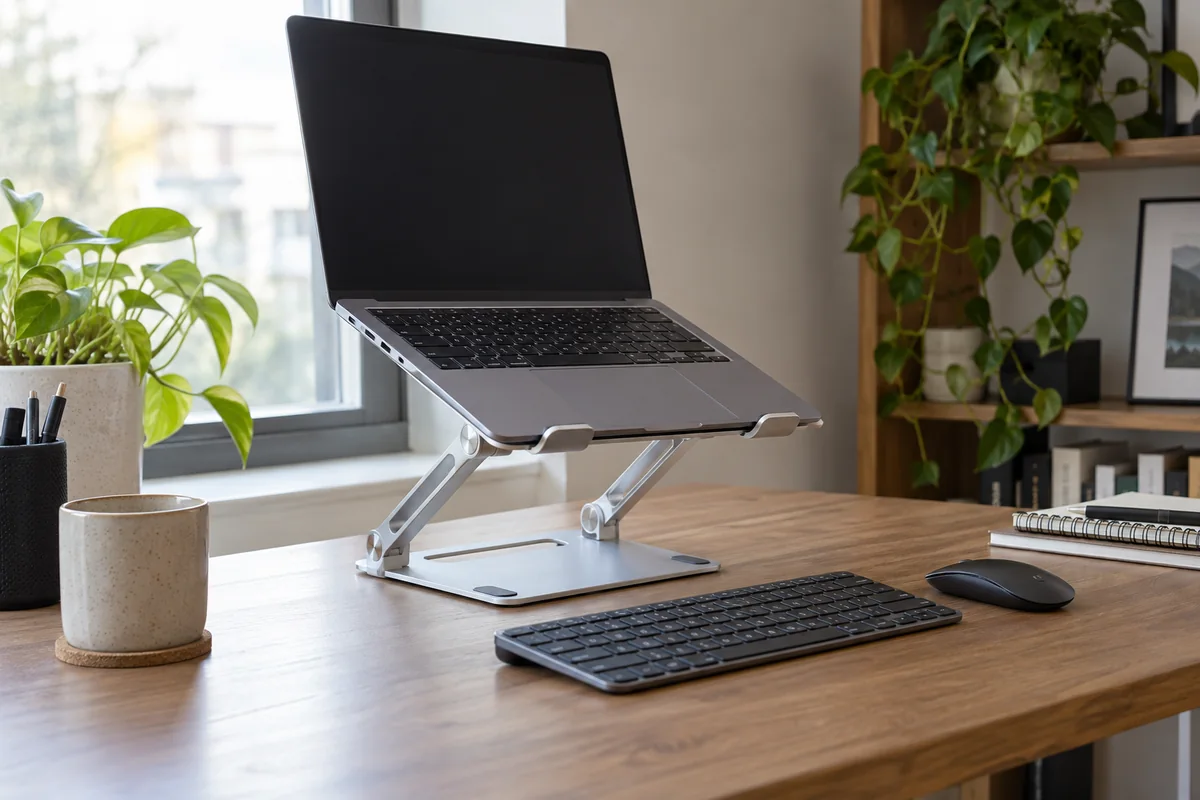
Choose a laptop stand only after deciding whether the laptop is the primary screen, a raised secondary screen, or a travel device. A fixed home-office stand favors stability and repeatable docking; a folding stand favors portability but usually gives up mass, simplicity or adjustment.
Raising the laptop normally requires an external keyboard and pointing device for sustained work. The stand should reach the viewing target without blocking ports, ventilation or the normal cable route.
- Define the laptop role first
- Plan the external keyboard and mouse
- Stable working height beats maximum height
- Travel and fixed desks need different compromises
Select the stand type from the laptop role
| Role | Useful stand approach | Main check |
|---|---|---|
| Primary home-office display | Stable fixed or firmly adjustable stand | Eye line, external input position and docking access |
| Secondary display beside a monitor | Compact riser with controlled height | Similar viewing distance and limited neck rotation |
| Shared workstation | Adjustment with simple, repeatable controls | Range fits each user without wobble |
| Travel kit | Folding low-mass stand | Packed size, setup time and stability on imperfect surfaces |
Measure before comparing mechanisms
- Set the chair and external keyboard first, then record the desired height of the laptop active screen.
- Measure laptop width, depth, weight and the location of vents, ports and front retaining lips.
- Mark the available stand footprint and the cable bend space behind both sides of the laptop.
- For frequent docking, rehearse opening, connecting and removing the laptop; extreme articulation can make that routine slower.
- Confirm that the stand remains stable at the actual working height, not only in its lowest product-photo position.
Do not pay for adjustment you will not use
- A heavy base helps repeated one-handed docking but is a poor travel companion.
- A high maximum position is irrelevant if typing or tapping makes the laptop move.
- Open frames can preserve airflow, but the laptop manufacturer remains the authority on ventilation requirements.
- A vertical closed-laptop holder is storage, not a substitute for an open display stand.
Published-spec examples for different constraints
These examples are not universal rankings. Each one remains on the shortlist because its published design fits a different workspace constraint. No affiliate relationship influenced inclusion.
| Model | Useful for | Published highlights | Verify before buying |
|---|---|---|---|
| Curve Twelve South | A dedicated desk with one laptop role | Fixed elevated desktop design; Open base area for an external keyboard when not in use | No height adjustment |
| Curve Flex Twelve South | Hybrid desks that need height and angle adjustment | Published 10.4-inch width and 8.8-inch depth; Up to 7 lb laptop guidance | Heavier than minimalist travel stands |
| Roost V3 Roost | Frequent travel with a separate keyboard and mouse | Seven published height settings; Published 6 oz weight | Requires compatible front-edge geometry |
Curve
Best suited to: A dedicated desk with one laptop role; Users who prefer a simple fixed structure.
A fixed-height desktop stand for a repeatable home-office docking position. Manufacturer documentation highlights fixed elevated desktop design, open base area for an external keyboard when not in use, silicone contact surfaces described by the manufacturer.
Potential strengths
- No adjustment routine
- Simple open-frame construction
- Designed as a permanent desktop stand
Points to verify
- No height adjustment
- Compatibility and achieved screen height depend on the laptop
Curve Flex
Best suited to: Hybrid desks that need height and angle adjustment; Laptops within the published width and weight limits.
An adjustable folding stand for users who change screen height or location. Manufacturer documentation highlights published 10.4-inch width and 8.8-inch depth, up to 7 lb laptop guidance, folds flat and includes a travel sleeve.
Potential strengths
- Height and angle adjustment
- Published fit dimensions
- Can align a laptop with an external display
Points to verify
- Heavier than minimalist travel stands
- Hinge tension and footprint need room in the daily docking routine
Roost V3
Best suited to: Frequent travel with a separate keyboard and mouse; Users who value packed weight over a heavy desktop base.
A very light folding stand for a portable external-keyboard setup. Manufacturer documentation highlights seven published height settings, published 6 oz weight, published folded size of 1 x 1.5 x 13 inches.
Potential strengths
- Low carry weight
- Large published lift range
- Folds into a narrow travel shape
Points to verify
- Requires compatible front-edge geometry
- Light construction should be judged at the actual working height
Questions people ask
Can I type directly on a raised laptop stand?
For brief use, perhaps, but sustained typing usually brings the shoulders and wrists toward an awkward position. A separate keyboard and pointing device let the screen and inputs be positioned independently.
Is an adjustable stand always better than a fixed stand?
No. A single-user desk may benefit more from a stable fixed height. Adjustment matters when users, tasks or locations change.
Does a laptop stand improve cooling?
An open design may expose more of the chassis, but cooling behavior is model-specific. Keep manufacturer vents unobstructed and do not promise a temperature improvement without testing.
Sources and methodology
These sources support the setup logic and boundaries above. Check product-specific instructions before making a purchase or changing electrical equipment.
- Computer Workstations Evaluation Checklist — U.S. Occupational Safety and Health Administration ↗Monitor height, distance, and multiple-monitor placement checkpoints.
- Computer Workstations eTool — U.S. Occupational Safety and Health Administration ↗Custom-fit workstation principles and the reminder that no single arrangement fits everyone.
- Office Ergonomics — Positioning the Monitor — Canadian Centre for Occupational Health and Safety ↗Viewing angle, viewing distance, corrective-lens, wide-screen, and multiple-monitor guidance.