Practical answer
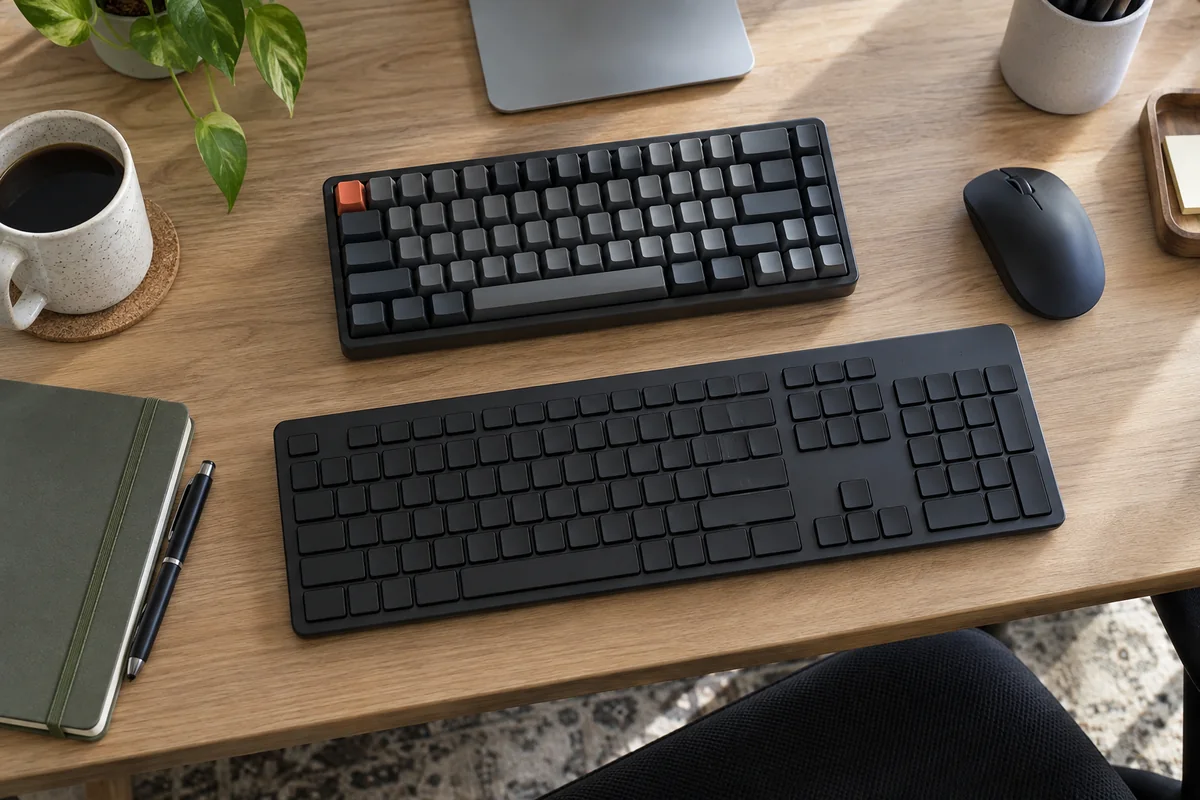
Choose a home-office keyboard by layout, room noise, device switching and software policy before choosing a switch label. A full-size board protects number-pad workflow, a compact board creates mouse room, and a multi-device board is useful only when switching remains reliable on every work computer.
Typing feel is personal and does not justify a universal ranking. Published connectivity, layout, operating-system support and switch options can narrow the shortlist; comfort still needs a return-window trial.
- Choose layout before switch type
- Treat shared-room noise as a requirement
- Verify every work operating system
- Extra software may be unavailable on managed computers
Shortlist by work scenario
| Workflow | Prioritize | Trade-off |
|---|---|---|
| Spreadsheets and numeric entry | Full-size layout with stable number pad | More reach to the mouse |
| Writing in a shared room | Predictable quiet sound and low distraction | Fewer switch choices or less mechanical feedback |
| Laptop plus tablet or second computer | Documented multi-device switching and layout support | More pairing and battery management |
| Very small desk | Tenkeyless or compact layout | Navigation, function or number keys may move to layers |
| Managed work computer | Functions available without mandatory software | Less customization |
Verify before ordering
- Physical layout and regional key legends, including the keys used by the daily shortcuts.
- Connection modes, receiver requirements and whether the receiver can be used under workplace policy.
- Operating-system support for remapping, function keys and switching utilities.
- Published battery behavior with lighting on and off, plus whether the board works while charging.
- Height and front-edge shape in relation to the actual desk and wrist position.
Use the return period as a workflow test
- Reproduce the longest typing task and the shortcuts used most often.
- Move between every paired device and confirm the layout follows the expected operating system.
- Check sound in the real room during calls or shared work.
- Confirm that the mouse remains close enough and that no key layer interrupts frequent commands.
- Keep the simplest option that passes the actual workflow.
Published-spec examples for different constraints
These examples are not universal rankings. Each one remains on the shortlist because its published design fits a different workspace constraint. No affiliate relationship influenced inclusion.
| Model | Useful for | Published highlights | Verify before buying |
|---|---|---|---|
| MX Keys S Logitech | Shared workspaces | Low-profile full-size layout; Easy-Switch for up to three devices | Full-size footprint consumes more mouse space |
| MX Mechanical Logitech | People who switch among several devices | Three published switch choices in select markets; Smart illumination | Costs more than basic membrane boards |
| K3 Max Keychron | Users who want a 75% layout | 84-key 75% layout; 2.4GHz, Bluetooth, and wired modes | Removes the dedicated number pad |
MX Keys S
Best suited to: Shared workspaces; Users who need a number pad and device switching.
A quiet full-size low-profile board for multi-device office work. Manufacturer documentation highlights low-profile full-size layout, easy-switch for up to three devices, backlighting and logi options+ support.
Potential strengths
- Familiar office layout
- Multi-platform support
- Quieter than many mechanical boards
Points to verify
- Full-size footprint consumes more mouse space
- Advanced customization depends on vendor software
MX Mechanical
Best suited to: People who switch among several devices; Users who want low-profile mechanical keys.
A low-profile mechanical option for multi-device desks. Manufacturer documentation highlights three published switch choices in select markets, smart illumination, easy-switch for up to three devices.
Potential strengths
- Multi-device workflow
- Full-size and Mini variants
- Low-profile key design
Points to verify
- Costs more than basic membrane boards
- Switch choice and layout vary by market
K3 Max
Best suited to: Users who want a 75% layout; People who value QMK/VIA-style remapping.
A compact low-profile mechanical board with flexible connectivity and remapping. Manufacturer documentation highlights 84-key 75% layout, 2.4ghz, bluetooth, and wired modes, qmk support with keychron launcher.
Potential strengths
- Compact width
- Three connection methods
- Published switch and layout details
Points to verify
- Removes the dedicated number pad
- Mechanical sound and switch feel should be chosen for the room
Questions people ask
Is a mechanical keyboard better for working from home?
Not universally. It offers distinct switch choices, but noise, height, layout, maintenance and personal feel can make a low-profile or membrane board a better work tool.
Should I choose a compact keyboard?
Choose it when the recovered mouse space matters more than direct access to removed keys. List daily shortcuts before accepting a layered layout.
Is Bluetooth enough for work?
It may be, but check wake behavior, pairing limits, workplace policy and whether a receiver or wired fallback is needed for the most important computer.
Sources and methodology
These sources support the setup logic and boundaries above. Check product-specific instructions before making a purchase or changing electrical equipment.
- Office Ergonomics - Keyboard Selection and Use — Canadian Centre for Occupational Health and Safety ↗Neutral setup, placement and selection guidance.
- MX Keys S — Logitech ↗Official layout, connection and multi-device specifications.
- MX Mechanical — Logitech ↗Official switch, layout and connection specifications.
- K3 Max — Keychron ↗Official compact-layout, connection and customization information.