Practical answer
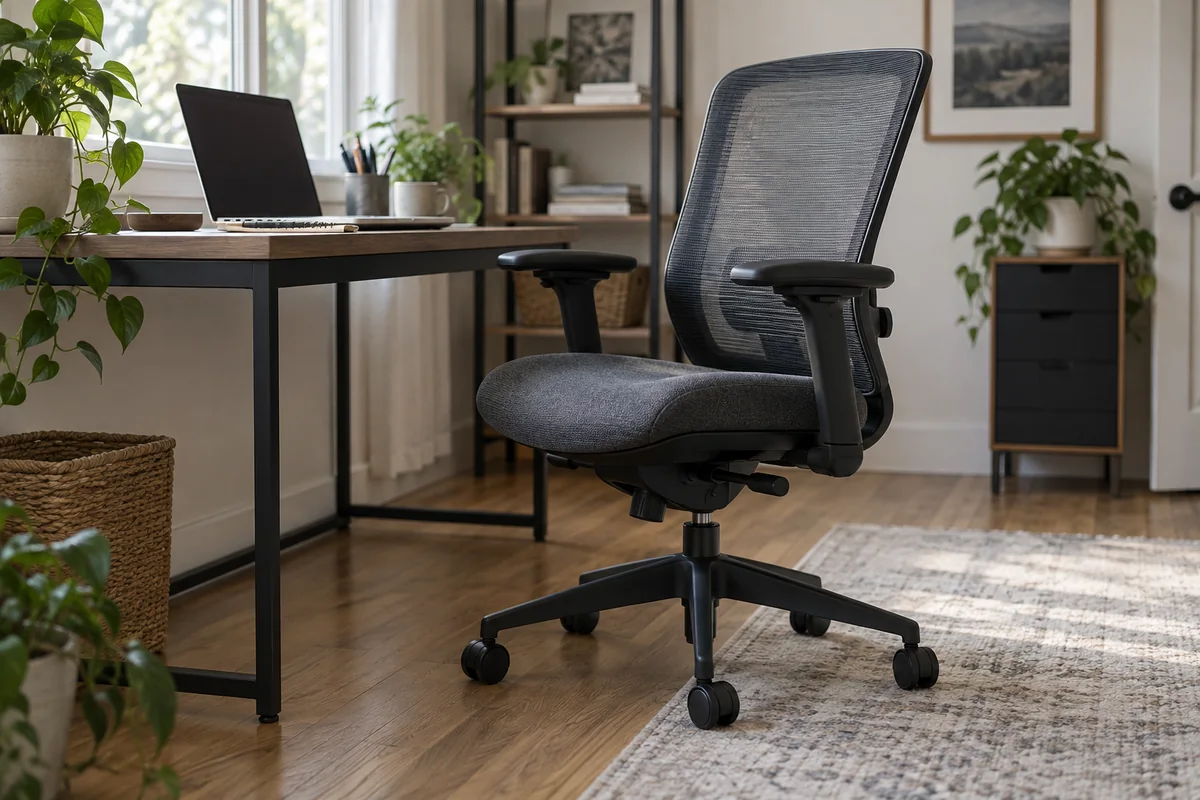
Set the seat and keyboard surface before the armrests. With the shoulders relaxed and elbows near the torso, raise each armrest only until it lightly supports the forearm without pushing the shoulder upward. Then confirm that the chair can still approach the desk closely enough for comfortable keyboard and mouse reach.
Armrests are optional support, not a target that the body must reach. If they force the elbows outward, contact a hard point, or hit the desk apron, lower, widen, retract or remove them if the chair is designed to allow that change.
- Adjust seat and input height first
- Support lightly without lifting shoulders
- Keep elbows near the torso
- Test desk clearance and recline
Adjustment order
- Set feet, seat height, seat depth and back support for the normal working position.
- Bring the keyboard and mouse close enough that the elbows remain near the torso.
- Relax both shoulders and bend the elbows to the working angle used at the keyboard.
- Raise the armrests until they barely meet the forearms; do not shrug to maintain contact.
- Adjust width, pivot and fore-aft position so wrists and elbows do not have to move around the pads.
- Roll toward the desk, type, use the mouse and recline to check for interference.
Diagnose common conflicts
| Observation | Likely conflict | Adjustment to test |
|---|---|---|
| Shoulders rise | Armrests or input surface are too high | Lower the armrests; then reassess desk and chair height |
| Elbows flare outward | Pads are too wide or incorrectly pivoted | Move pads inward or use a narrower setting |
| Chair cannot reach the desk | Pads hit the top or apron | Lower, retract or remove compatible armrests |
| Forearms slide off while typing | Pads are too far back or keyboard is too distant | Move the keyboard closer and adjust pad depth |
| One shoulder sits higher | Armrests or work task are asymmetrical | Set sides independently and inspect device placement |
Armrest specifications worth checking
- Height range measured from the loaded seat surface.
- Inside spacing and whether width adjusts at the base or pad.
- Fore-aft travel, pivot and whether settings lock securely.
- Pad dimensions, edge shape and firmness.
- Overall height at the lowest setting relative to the desk opening.
- Whether removal or alternate arms are manufacturer-supported.
Questions people ask
Should armrests be level with the desk?
Not as a universal rule. Their job is to support relaxed arms without raising the shoulders or blocking access. The keyboard surface and elbow position determine the useful relationship.
Is it okay to use a chair without armrests?
Yes, when the desk or another suitable surface supports the work position and the shoulders remain relaxed. Armrests that interfere can be worse than none.
Should both armrests be the same height?
Begin symmetrically, then account for real task and body needs. A persistent large difference may point to uneven equipment placement or a setup issue worth reviewing.
Sources and methodology
These sources support the setup logic and boundaries above. Check product-specific instructions before making a purchase or changing electrical equipment.
- Workstation Components - Chairs — U.S. Occupational Safety and Health Administration ↗Official armrest adjustability, shoulder relaxation and desk-interference guidance.
- Office Ergonomics - How to Adjust Office Chairs — Canadian Centre for Occupational Health and Safety ↗Official chair setup order and armrest-height guidance.
- Computer Workstations Evaluation Checklist — U.S. Occupational Safety and Health Administration ↗Chair, armrest and input-device evaluation checkpoints.